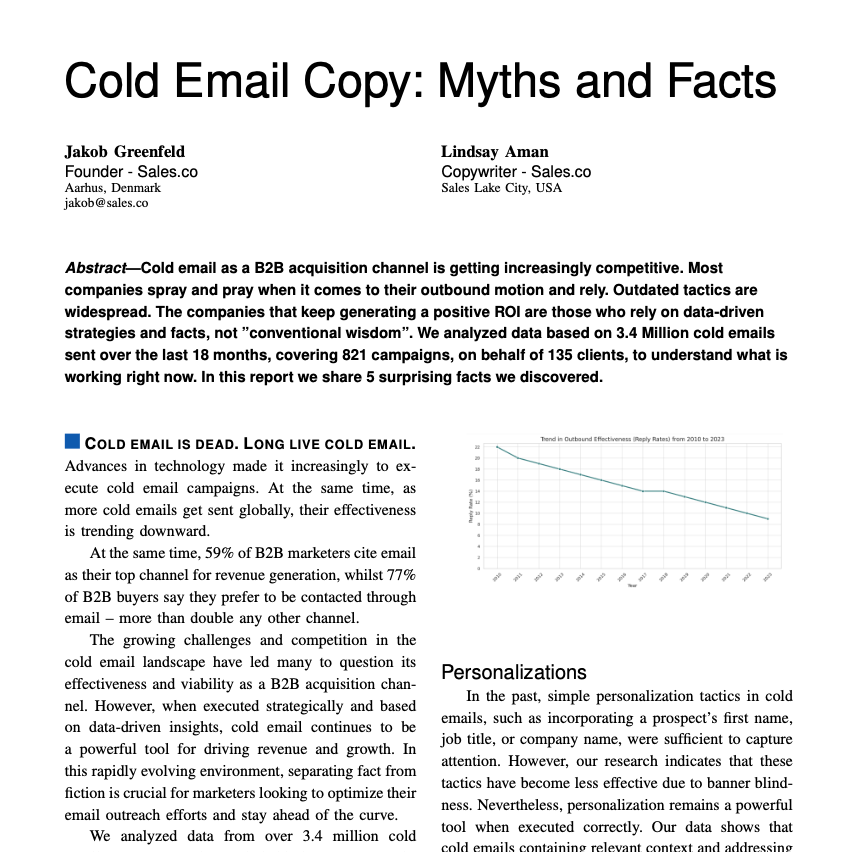
What makes a good cold email subject line? Across 954,794 prospects Sales.co emailed from Oct 6, 2025 to Oct 25, 2026, three things went with more replies. Those were the prospect's first name (0.90% human replies vs 0.58% without it), five to seven words (0.83% vs 0.71% for three or four), and a capital first letter rather than all lowercase (0.72% vs 0.54%). Each held with the largest sender removed. A question mark made no consistent difference. After the open, our cold email statistics report breaks positive reply rate down by tone, length and CTA, and the free subject line grader scores a line on these patterns.
Your subject line is the gatekeeper to your entire cold email campaign. No matter how compelling your message, perfect your offer, or targeted your list, if recipients don't open your email, none of it matters.
This comprehensive guide provides 80 proven subject line templates, organized by strategy and situation, plus the psychological principles that make them work.
Cold email subject line reply rates from 954,794 prospects
Five to seven words, the prospect's first name and a capital first letter went with the most replies in Sales.co's own sending, Oct 6, 2025 to Oct 25, 2026. Lines with the first name got 0.90% human replies against 0.58% without it; with the largest sender removed the gap holds at 0.78% vs 0.56%. Lines of 30 characters or fewer got 0.70% against 0.59% for longer ones. A question mark made no consistent difference: 0.72% with one against 0.69% without, and the order flips with the largest sender removed (0.60% vs 0.64%).
| Trait | Subject line | Prospects | Human reply rate (replies) | Without the largest sender |
|---|---|---|---|---|
| First name in the line | Yes | 340,650 | 0.90% (3,060) | 0.78% |
| No | 570,399 | 0.58% (3,304) | 0.56% | |
| No first name in the address | 43,745 | 0.60% (264) | 0.58% | |
| Word count | 1 to 2 words | 89,691 | 0.48% (435) | 0.47% |
| 3 to 4 words | 818,074 | 0.71% (5,825) | 0.65% | |
| 5 to 7 words | 39,483 | 0.83% (327) | 0.78% | |
| 8 or more words | 7,546 | 0.54% (41) | 0.51% | |
| Length | 1 to 15 characters | 108,637 | 0.70% (756) | 0.64% |
| 16 to 30 characters | 794,816 | 0.70% (5,568) | 0.64% | |
| 31 to 45 characters | 44,025 | 0.61% (268) | 0.56% | |
| 46 to 60 characters | 5,298 | 0.55% (29) | 0.57% | |
| 61 or more characters | 2,018 | 0.35% (7) | not shown | |
| Capitalization | First letter capital only | 488,502 | 0.72% (3,497) | 0.60% |
| Title Case or mixed | 413,718 | 0.69% (2,838) | 0.70% | |
| all lowercase | 52,097 | 0.54% (279) | 0.51% | |
| Question mark | Yes | 63,527 | 0.72% (457) | 0.60% |
| No | 891,267 | 0.69% (6,171) | 0.64% |
How we counted: one row per prospect (a recipient address in one sending workspace), judged on the subject of the first email it got. A human reply is any reply that is not an auto-reply, out-of-office, bounce, warm-up, test or spam message; the newest sends counted are 14 days older than the latest data, so every prospect had at least 14 days to reply. 6,628 human replies from 61 sending workspaces; the largest accounts for 25% of these prospects. We count replies because opens are unreliable now that mail apps preload images. The data comes from real campaigns with no split test, so a sender who puts the first name in the subject may also write a better email. Data through Oct 25, 2026, refreshed weekly. The grader page has every cut, including company name, numbers and Re: lines.
The Psychology Behind High-Converting Subject Lines
Before diving into specific templates, it's crucial to understand the psychological triggers that drive email opens. Modern professionals receive 100+ emails daily, making split-second decisions about what deserves their attention.
The Curiosity Gap Principle
Effective subject lines create a "curiosity gap" by providing enough information to spark interest while withholding enough to compel the open. This psychological principle, studied extensively by behavioral economists, drives most human decision-making.
Weak vs. Strong Curiosity Gaps:
- Weak: "New Software Solution" → No gap, no curiosity
- Strong: "The mistake most SaaS companies make" → Creates curiosity
- Weak: "Meeting Request" → Generic, predictable
- Strong: "Quick question about [Company]'s expansion" → Specific intrigue
Examples of Curiosity Gap Subject Lines:
- "Noticed something interesting about [Company]"
- "Quick question about your Q4 strategy"
- "Saw your post about [specific topic]"
Pattern Interruption Strategy
Most cold emails follow predictable patterns. Subject lines that break these patterns capture attention through novelty and unexpectedness.
Common Patterns vs. Pattern Interrupts:
- Common: "Partnership Opportunity" → Interrupt: "This probably isn't for you..."
- Common: "Free Demo Available" → Interrupt: "Demo? No thanks."
- Common: "Increase Revenue 300%" → Interrupt: "Your revenue looks fine to me"
Personalization-Based Subject Lines
In our own sends the prospect's first name was the subject line trait that went with the most extra replies (see the reply data above), while the company name made no consistent difference. Effective personalization goes beyond inserting first names. Personalization at scale is its own problem; our personalization guide covers the research step.
Company-Specific Personalization
Reference specific, recent information about the prospect's company:
Company-Specific Templates (1-8)
- 1 "Congrats on [Company]'s Series B funding"
- 2 "Saw [Company] is hiring 20+ engineers"
- 3 "Quick question about [Company]'s expansion to Austin"
- 4 "Noticed [Company] just acquired [Other Company]"
- 5 "Thoughts on [Company]'s new product launch?"
- 6 "[Company]'s growth trajectory is impressive"
- 7 "Question about [Company]'s remote work policy"
- 8 "Saw [Company] made the Inc 5000 list"
Role-Specific Personalization
Reference challenges or priorities specific to their role:
Role-Specific Templates (9-13)
- 9 "Fellow [Job Title] here with a quick question"
- 10 "How are you handling [role-specific challenge]?"
- 11 "[Job Title] to [Job Title]: quick favor?"
- 12 "Are you still responsible for [specific responsibility]?"
- 13 "Quick question from one [Job Title] to another"
Industry-Specific Personalization
Reference industry trends, events, or challenges:
- "How is [Industry] handling the new regulations?"
- "Saw your thoughts on [Industry Trend]"
- "Fellow [Industry] professional with a question"
- "[Industry] companies are struggling with this..."
Question-Based Subject Lines
Questions naturally create curiosity and engagement. They work particularly well when they reference specific, relevant challenges or opportunities.
Business Challenge Questions
Business Challenge Questions (18-24)
- 18 "Are you still using [outdated process/tool]?"
- 19 "How are you handling [specific challenge]?"
- 20 "What's your biggest [relevant] challenge right now?"
- 21 "Are you happy with your current [relevant solution]?"
- 22 "How do you currently handle [specific process]?"
- 23 "What's working best for [specific goal]?"
- 24 "Quick question about your [relevant] strategy"
Strategic Opportunity Questions
- "Interested in [specific opportunity]?"
- "Worth exploring for [Company]?"
- "Makes sense for your Q[X] goals?"
- "Relevant for [specific initiative]?"
- "Could this help with [specific goal]?"
Mutual Connection Subject Lines
Referencing mutual connections leverages social proof and trust transfer, dramatically improving open rates. Our networking email templates are built around this same trust transfer.
Direct Referrals
Direct Referral Templates (30-33)
- 30 "[Mutual Connection] suggested I reach out"
- 31 "[Name] thought we should connect"
- 32 "[Mutual Connection] recommended I contact you"
- 33 "Following up on [Mutual Connection]'s intro"
Indirect Connections
- "Mutual connection with [Name] - quick question"
- "[Mutual Connection] and I were just discussing..."
- "[Name] mentioned you're working on [project]"
Content & Social Proof Subject Lines
Reference specific content the prospect has created or shared, demonstrating genuine interest and research.
Content Engagement
- "Loved your post about [specific topic]"
- "Great point about [specific insight]"
- "Saw your article on [topic] - quick question"
- "Your take on [industry issue] was spot-on"
- "Thoughts on your [content type] about [topic]"
Event & Conference References
- "Great meeting you at [Event Name]"
- "Following up from [Conference]"
- "Missed you at [Event] - quick question"
- "Saw your [Event] presentation on [topic]"
Contrarian & Pattern Interrupt Subject Lines
These subject lines work by doing the opposite of what prospects expect from sales emails.
Reverse Psychology
Sometimes saying the opposite of what a sales email usually says creates intrigue:
Reverse Psychology Templates (46-50)
- 46 "This probably isn't for you..."
- 47 "You're probably too busy for this"
- 48 "You might disagree with this"
- 49 "Quick note (feel free to ignore)"
- 50 "Not sure if this applies to [Company]"
⚠️ Use sparingly - These work because they're unexpected, but can backfire if overused.
Contrarian and Controversial Angles
Challenge conventional wisdom to stand out. Only use these when your email actually delivers a defensible point of view:
- "Why most [industry] advice is wrong"
- "The [common practice] myth"
- "Unpopular opinion about [industry trend]"
- "Why [Company] should stop [common practice]"
- "The truth about [widely accepted belief]"
Benefit and Case Study Subject Lines
Lead with concrete outcomes and social proof. Naming a similar company that got a specific result transfers credibility before the email is even opened.
Specific Benefit Templates
- "How [Similar Company] reduced [metric] by 40%"
- "3 ways to cut [process] time in half"
- "[Company] + 25% revenue increase"
Social Proof and Case Study Templates
- "How [Similar Company] increased [metric] by 45%"
- "[Competitor] case study results"
- "What [Industry Leader] learned about [challenge]"
- "[Similar Company]'s approach to [problem]"
- "Results from [Similar Company]'s [initiative]"
- "[Industry] best practices from [Company Name]"
- "Lessons from [Similar Company]'s success"
Problem and Solution Subject Lines
Name a specific problem the prospect likely has. These work best when your research confirms the pain is real for them.
- "The #1 challenge facing [industry] companies"
- "Solving [specific problem] at [Company]"
- "[Challenge] solution for [Company]"
- "Why [Company] might be losing [opportunity]"
- "Hidden cost in [Company]'s [process]"
- "Common mistake [Company] might be making"
Curiosity and Value-Add Subject Lines
Offer an insight or resource up front. These position the email as helpful rather than salesy, which pays off in reply quality.
Curiosity-Driven Templates
- "The surprising truth about [relevant topic]"
- "What [Company] should know about [trend]"
- "Interesting insight about [Company]'s market"
- "Something you might find valuable"
- "Quick observation about [Company]"
- "Thought this might interest you"
Value-Add Templates
- "[Resource] for [Company]'s [department]"
- "Quick insight about [industry trend]"
- "Data point relevant to [Company]"
Subject Line Optimization Best Practices
Length Optimization
Length Guidelines
- Desktop: about 60-70 characters visible before truncation
- Mobile: about 30-40 characters visible (most important)
- Sweet spot in our reply data: 30 characters or fewer (0.70% human replies vs 0.59% for longer lines, Oct 6, 2025 to Oct 25, 2026)
Mobile Optimization Priority:
Most emails are now opened on mobile devices, so prioritize mobile visibility. Front-load the most important words and avoid trailing off with less critical information.
Mobile Truncation Limits by Client:
- iPhone Mail: ~35 characters before truncation
- Android Gmail: ~33 characters visible
- Outlook Mobile: ~25-30 characters shown
- Best Practice: Keep critical words within the first 30 characters, cut filler words like "regarding" and "about," and use shorter alternatives ("Q:" instead of "Question:")
Avoiding Spam Triggers
Words and Phrases to Avoid
- ❌ Money Terms: "Free," "Cash," "$$$," "Earn money"
- ❌ Urgency Manipulators: "Act now," "Limited time," "Urgent"
- ❌ Excessive Punctuation: "!!!" "???" "..."
- ❌ All Caps: "AMAZING OPPORTUNITY"
- ❌ Promotional Language: "Sale," "Discount," "Deal of the day"
A/B Testing & Optimization
Testing Framework:
- Single Variable Testing: Test one element at a time
- Adequate Sample Size: Minimum 100 emails per variation
- Statistical Significance: 95% confidence level
- Test Duration: Run for full business week
- Consistent Timing: Send at same times for fair comparison
Elements to Test:
- Personalization level (name, company, industry)
- Question vs. statement format
- Length variations (short vs. medium)
- Specific vs. vague references
- Formal vs. casual tone
Industry-Specific Strategies
Technology & SaaS
What Works:
- Technical specificity and precision
- References to tech stack or tools
- Developer/engineer-friendly language
- Problem-solution focused messaging
Example Subject Lines:
- "Question about your API architecture"
- "Saw you're using [Tech Stack] - quick question"
- "Fellow developer with a scaling question"
Financial Services
What Works:
- Conservative, professional tone
- Compliance and security awareness
- ROI and efficiency focus
- Regulatory knowledge demonstration
Example Subject Lines:
- "Compliance question for [Company]"
- "How are you handling the new regulations?"
- "Fellow finance professional - quick question"
Healthcare
What Works:
- Patient outcome focus
- Efficiency and workflow optimization
- HIPAA and compliance awareness
- Clinical evidence and data
Example Subject Lines:
- "Workflow optimization question"
- "How do you currently handle [clinical process]?"
- "Fellow healthcare professional - quick favor"
Ecommerce & Retail
What Works:
- Conversion and revenue metric focus
- Seasonality awareness (peak season, holidays)
- Customer acquisition and retention angles
Example Subject Lines:
- "[Company]'s conversion rate optimization"
- "Cart abandonment solution for [Company]"
- "Peak season prep for [Company]"
- "Inventory optimization insight for [Company]"
Timing and Frequency Optimization
Optimal Send Times
Best Performing Times (Based on Industry Analysis):
- Tuesday-Thursday: 8-10 AM and 1-3 PM
- Monday: 10 AM-12 PM (avoid early morning)
- Friday: 8-10 AM only (afternoon performance drops)
- Weekends: Generally avoid, unless B2C or specific industries
Time Zone Considerations:
- Send based on recipient's local time zone
- Use email platforms with timezone detection
- For multi-timezone campaigns, stagger sends appropriately
Follow-Up Subject Line Strategy
The best follow-ups bring a fresh angle or added value rather than just "bumping" the thread:
- "One more thought about [original topic]" - continues the conversation naturally
- "[Similar Company] case study" - adds social proof and value
- "Different approach for [Company]" - new angle, shows persistence without nagging
Follow-Up #1 (3-5 days later):
- "Following up on my question about [topic]"
- "Circling back - [original subject]"
- "Did you get my email about [topic]?"
Follow-Up #2 (1 week later):
- "One more try - [original subject]"
- "Last attempt - question about [topic]"
- "Final follow-up on [topic]"
Breakup Email:
- "Should I stop reaching out?"
- "Taking you off my list"
- "This is goodbye"
Measuring Subject Line Success
Key Metrics to Track
- Open Rate: A rough signal at best, since mail apps preload images and inflate opens
- Click-Through Rate: Measures engagement beyond the open
- Response Rate: The measure the reply data above uses
- Unsubscribe Rate: Indicator of relevance and targeting
- Spam Complaints: Critical for deliverability health
Benchmark Performance Standards
Open rate benchmarks are a weak yardstick now that mail apps preload images and count opens nobody made. Judge a subject line on replies instead: the table at the top of this guide gives the human reply rate for each subject line trait from Sales.co's own sends, and the cold email statistics report has reply rates by industry.
Factors Affecting Benchmarks:
- Industry vertical (tech vs. healthcare vs. finance)
- Seniority level (C-suite vs. manager vs. individual contributor)
- Company size (enterprise vs. SMB vs. startup)
- Geographic location (US vs. EU vs. APAC)
Advanced Subject Line Strategies
Dynamic Personalization
Use data and automation to create highly personalized subject lines at scale:
- Company News Integration: Automatically reference recent news, funding, or announcements
- Social Media Activity: Reference recent LinkedIn posts or Twitter activity
- Technology Stack Detection: Reference specific tools or platforms they use
- Behavioral Triggers: Reference website visits or content downloads
Trigger-Based Examples:
- Hiring: "Noticed [Company] is building the [department] team"
- Funding: "Congrats on [Company]'s Series [X] funding"
- Executive Changes: "Welcome to [Name] as [Company]'s new [role]"
- Market Events: "How [regulation/trend] affects [Company]"
Multivariate Testing
Test multiple subject line elements simultaneously:
- Personalization + Length: Test personalized short vs. personalized long
- Tone + Format: Test casual question vs. formal statement
- Specificity + Industry: Test specific tech reference vs. general business reference
Common Mistakes to Avoid
Over-Personalization
While personalization improves performance, overdoing it can appear creepy or stalker-like:
Good Personalization: "Saw [Company] is expanding to Austin"
Over-Personalization: "Noticed you had lunch at [specific restaurant] yesterday"
False Urgency
Creating artificial urgency undermines trust and damages long-term relationships:
Avoid: "Last chance - expires tonight!"
Better: "Quick question about Q4 planning"
Misleading Subject Lines
Subject lines should accurately reflect email content to maintain trust:
Misleading: "Your invoice is overdue" (when it's actually a sales pitch)
Accurate: "Question about your invoicing process"
Conclusion: Building Your Subject Line Strategy
Effective cold email subject lines combine psychological principles, personalization, and strategic testing. The 80 templates provided in this guide offer a comprehensive foundation for any cold email campaign.
Key Implementation Steps:
- Start with personalization: Use company-specific or role-specific templates
- Test systematically: Compare 2-3 variations per campaign
- Monitor performance: Track open rates, responses, and deliverability
- Iterate continuously: Refine based on data and feedback
- Stay authentic: Prioritize genuine value over clever tricks
Remember: the best subject line is one that accurately represents your email content while creating genuine curiosity about the value you're offering. Focus on being helpful, relevant, and respectful of your prospects' time and attention.
Use these templates as starting points, but always customize them for your specific audience, industry, and value proposition. The most successful cold email campaigns combine proven frameworks with authentic, personalized execution.